Perfectly Synced Hockey Nights for a Big, Loud Crowd

Tonight we dive into latency sync and streaming tips for large hockey watch parties, showing how to align streams across mixed devices, minimize delays, and keep goal reactions unified. Expect practical setups, troubleshooting playbooks, and crowd-friendly ideas that make every period feel electric together, even when friends arrive with different apps, boxes, and TVs that normally refuse to agree on the same second.

Understanding Where the Seconds Disappear

Every step adds time: camera capture, encoder presets, chunk creation, CDN propagation, edge caching, player startup, and the final stretch through HDMI processing to your panel. Even two identical stream URLs can land at different edges. Understanding each layer’s budgeted latency helps you decide whether to prioritize stability, sharpness, or reaction synchronicity when the puck changes possession at blistering speed.
Cable boxes, over-the-air antennas, and streaming apps rarely agree. HLS and DASH segment lengths, Low-Latency HLS adoption, DVR buffers, and “start live” buttons create hidden offsets. A Roku might trail an Apple TV; a Fire TV stick could outrun a smart TV app. Knowing typical offsets lets you assign screens smartly and stop accidental spoilers near the kitchen doorway.
Run a clap test on camera, count frames with slow-motion video, or watch for the scoreboard clock ticks across screens. You can also use arena goal horns or broadcast stings as natural sync cues. Log differences in a quick sheet, tag each device and app version, and you will have a repeatable map that turns guesswork into confident, predictable adjustments.

Build a Rock-Solid Home Setup

Consistency beats raw speed when friends crowd around multiple TVs. Favor Ethernet everywhere, elevate your router placement, tame congested channels, and standardize devices whenever possible. A little preparation delivers big payoffs: quieter troubleshooting, synchronized cheers, and fewer awkward pauses before replays. With a stable foundation, every other adjustment becomes faster, clearer, and easier to explain under game-night pressure.

Sync Strategies for Mixed Rooms

When living room, patio, and garage screens must celebrate together, treat the slowest device as the master clock. Use pause nudges, coordinated restarts, and predictable countdowns to herd everything into the same window. A few practiced routines transform chaos into harmony, so your crowd’s first-period energy matches the third-period drama without anyone spoiling a sudden short-handed breakaway.

One-Button Countdown Routine

Gather everyone near remotes, rewind five seconds if allowed, then count down: three, two, one, play. If a screen lands early, tap pause for a heartbeat and resume to drift back. Create a shared ritual at intermission, and new guests quickly follow along. The choreography feels silly once, then becomes your party’s signature move, like a reliable preface to loud celebrations.

Audio as the House Metronome

Route one primary device’s audio to a central speaker, then align other screens to that soundtrack. If your receiver supports per-input audio delay, use it to wait for slower video paths. Even a modest Bluetooth delay can be predictable. Once the soundtrack, commentary cadence, and crowd noise sync, visual differences shrink, and everyone trusts the room’s heartbeat for real-time excitement.

Make the Slowest Stream the Boss

Pick the most delayed feed as your reference, then gently delay faster screens until cheers converge. Some apps expose latency controls; others accept tiny pauses. If nothing helps, reduce resolution on faster devices to induce a touch more buffering. It feels backward, but fairness wins: no more early yelps from the hallway TV when a blue line blast finds twine.

Live Troubleshooting When Spoilers Strike

Someone shouts before your screen shows the puck crossing the line? Stay calm, then run a quick decision tree: identify which screen is earliest, verify app buffers, test a brief restart, and nudge devices to rejoin the group. With a practiced checklist, crises shrink from mood breakers into shared laughs, and the party’s momentum never stalls during critical faceoffs.

Thirty-Second Diagnosis Playbook

Check if any device toggled a hidden DVR buffer. Confirm each screen is truly at “Live” rather than near-live. Reload just one fast device, not all, and remeasure. If Wi‑Fi congestion spikes, temporarily drop resolution to stabilize. Assign a tech-savvy friend as your quick responder, freeing hosts to pour drinks while the room slides neatly back into sync.

When You Need the Big Reset

If drift persists, restart the app on the leading device, or power-cycle that streaming stick while others pause at a stable frame. Swap to a different CDN path by relaunching the app or switching profiles. As a last resort, reboot the router between periods. Clear, deliberate actions beat frantic button mashing, preserving good vibes and minimizing jittery half-measures.

Design the Crowd Experience

Spoiler Shield Etiquette

Place your fastest screen farthest from high-traffic areas, and ask early reactors to celebrate with silent fist pumps until others catch up. Use cue cards for synchronized eruptions after the replay hits every screen. This lighthearted protocol prevents hurt feelings, keeps banter playful, and preserves that delicious half-second of tension before the room erupts as one cheerful, thunderous chorus.

Interactive Timeouts and Intermissions

Turn pauses into connection: run quick polls on expected shot totals, award mini-prizes for predicting the next goal scorer, and share behind-the-scenes clips. Encourage guests to post synchronized reaction videos and tag friends who missed the night. These moments strengthen community, gather feedback on your setup, and build anticipation for the next gathering where your sync magic returns.

Traffic, Snacks, and Sightlines

Keep food near secondary screens so trips do not block the main view. Angle TVs to minimize glare and stage comfortable overflow seating that still hears the room’s audio heartbeat. Label remotes, tame cables with velcro, and place power strips safely. These gentle touches avoid chaos, reduce accidental pauses, and keep attention on crisp passes, gritty boards, and joyous pileups.

Pro-Level Tools and Settings
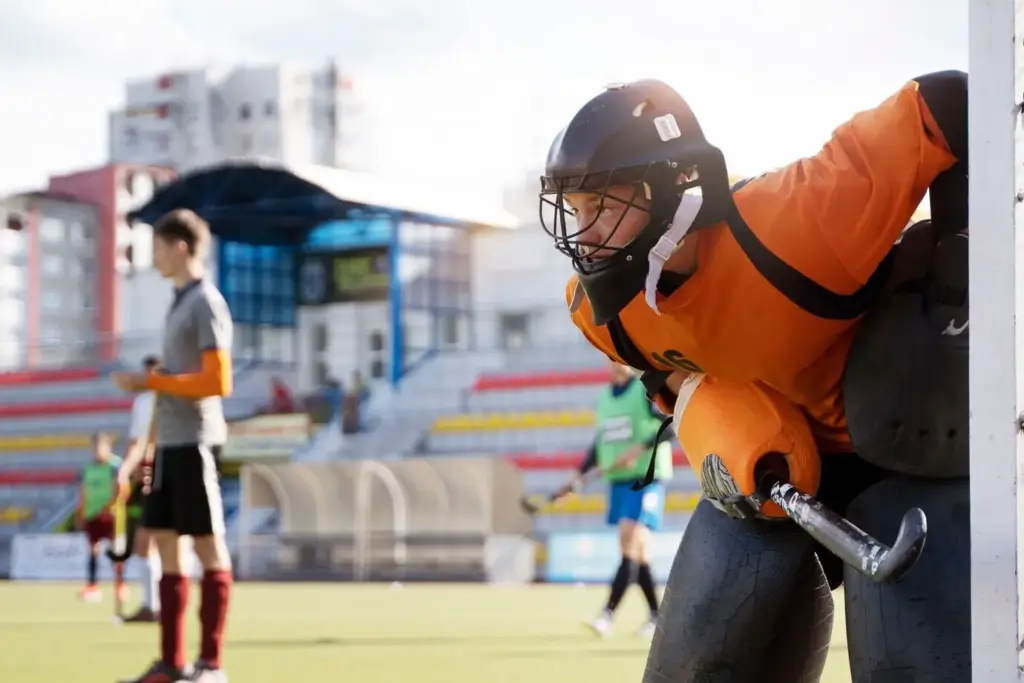
If your crew demands near-simultaneous reactions, you can push further. Explore low-latency toggles, turn off DVR buffers, unify frame-rate matching, and consider a local restream for absolute control. Measure results with simple logs, gather crowd feedback, and iterate. Your party becomes a living lab that rewards curiosity with harmony, laughter, and perfectly timed goal horns every single period.

Low-Latency Modes That Actually Help

Some apps offer Low-Latency HLS or reduced segment sizes; enable those when stable. Disable “start from beginning” defaults and ensure the Live button sits at the true edge. On Apple TV, match frame rate and dynamic range; on many TVs, lock Game Mode. Every consistent setting slices variance, shrinking the window where one screen betrays the others by precious seconds.

Local Relay and Distribution Tricks

Advanced hosts can decode one primary feed on a capable PC, then rebroadcast across the home network using tools like OBS and NDI or a lightweight RTMP server. This centralizes timing and reduces per-device variability. Wired connections shine here. Even simple HDMI splitters with identical downstream boxes yield tidy synchronization that turns a scattered house into one cohesive arena.
Rufuvuluromevifixeveze
Privacy Overview

This website uses cookies so that we can provide you with the best user experience possible. Cookie information is stored in your browser and performs functions such as recognising you when you return to our website and helping our team to understand which sections of the website you find most interesting and useful.